
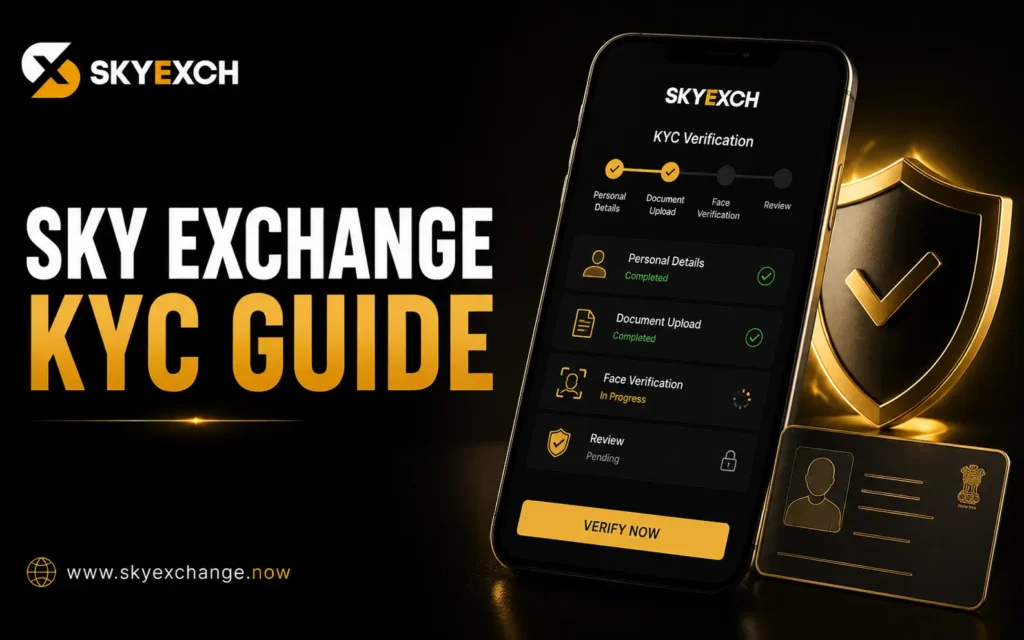
Know Your Customer (KYC) is an account verification process used by many online platforms to confirm a user’s identity. Completing KYC helps improve account security, prevent fraudulent activity, and ensure that financial transactions are carried out by the registered account holder.
Depending on the platform’s policies and account activity, Sky Exchange may request identity verification before certain account features, such as withdrawals or account recovery, become available.
This guide explains what KYC is, why it may be required, the documents commonly requested, the verification process, and helpful tips for completing verification successfully.
Quick Answer: What Is Sky Exchange KYC?
KYC (Know Your Customer) is the process of verifying a user’s identity using official documents and account information.
The verification process may include:
- Identity confirmation
- Mobile number verification
- Email verification
- Payment method verification
- Address confirmation (where required)
Once the submitted information has been reviewed and approved, the account may gain access to features that require identity verification according to the platform’s policies.
Why Is KYC Important?
KYC is used to help protect both users and the platform.
Common objectives include:
- Verifying account ownership.
- Reducing fraudulent activity.
- Preventing unauthorized transactions.
- Improving account security.
- Supporting responsible financial transactions.
- Assisting with account recovery when necessary.
Identity verification is a common practice across many online financial and gaming platforms.
When Might Sky Exchange Require KYC?
The exact timing of verification depends on the platform’s policies.
KYC may be requested in situations such as:
- Before processing certain withdrawals.
- After unusual account activity.
- During account security reviews.
- Before changing important account information.
- To verify ownership of payment methods.
- As part of ongoing compliance procedures.
Not every account is necessarily required to complete verification immediately after registration.
Documents Commonly Requested for KYC
Depending on the verification requirements, users may be asked to provide one or more official documents.
Examples include:
Identity Proof
Accepted identity documents may include:
- Aadhaar Card
- PAN Card
- Passport
- Driving Licence
- Other government-issued photo identification
Address Proof
Where required, address verification may include documents such as:
- Utility bill
- Bank statement
- Government-issued address document
- Other accepted proof of residence
Payment Verification
Some users may also be asked to verify the payment method linked to their account.
This helps confirm that deposits and withdrawals are associated with the registered account holder.
Mobile Number Verification
Users may be required to verify their registered mobile number using an OTP (One-Time Password).
This helps improve account security and confirms ownership of the registered contact number.
Email Verification
Some accounts may also require email confirmation through a verification link or confirmation code.
Keeping your registered email address active and accessible can help simplify future account recovery.
Step-by-Step Sky Exchange KYC Process
The verification process is generally straightforward.
Step 1: Log In to Your Account
Access your Sky Exchange account using your registered login credentials.
Step 2: Open the Verification Section
Navigate to the Profile, Account Settings, or KYC section.
If verification is required, the platform may display a notification or prompt requesting additional information.
Step 3: Upload Required Documents
Submit the requested verification documents.
Before uploading, make sure that:
- Images are clear and readable.
- All document edges are visible.
- Information is not blurred.
- The uploaded file matches the requested document type.
Poor-quality images may delay the review process.
Step 4: Verify Contact Information
Depending on your account, you may be asked to verify:
- Mobile number
- Email address
Verification is typically completed using an OTP or confirmation link.
Step 5: Submit the Verification Request
After reviewing your information, submit the verification request.
Double-check that all details match your official documents before confirming.
Step 6: Wait for Review
Once submitted, the platform reviews the provided information.
During this stage, the verification status may display messages such as:
- Pending
- Under Review
- Approved
- Rejected
- Additional Information Required
The exact wording may vary depending on the platform.
How Long Does KYC Verification Take?
Verification times vary depending on several factors.
These may include:
- Document quality.
- Accuracy of submitted information.
- Verification workload.
- Public holidays.
- Manual review requirements.
Some verification requests may be completed quickly, while others require additional review.
Users should monitor their account notifications for updates throughout the process.
Tips for Faster Verification
Submitting accurate information the first time can help reduce delays.
Before uploading documents:
- Use clear, high-resolution images.
- Ensure documents are valid and unexpired.
- Match the information with your registered account details.
- Upload the correct document type.
- Verify your mobile number and email address.
- Check that all required fields have been completed.
Taking a few extra moments to review your submission can help prevent avoidable verification issues.
Can You Use Your Account Before Completing KYC?
Depending on the platform’s policies, some account features may remain available before verification is completed, while others may require approved KYC.
For example, verification may be requested before:
- Certain withdrawals.
- Account recovery requests.
- Payment method changes.
- Higher transaction limits.
- Other account-specific actions.
The exact requirements depend on your account status and the platform’s verification policies.
Why Keeping Your Information Updated Matters
Keeping your account information current can make future verification much easier.
If any of the following details change, update them through the appropriate account settings or by contacting customer support where applicable:
- Mobile number
- Email address
- Payment details
- Identity documents
- Address information
Maintaining accurate records can help reduce delays during future account reviews or security checks.
Common Sky Exchange KYC Issues
Although many verification requests are completed without any problems, some users may experience delays or receive requests for additional information. Understanding the most common KYC issues can help you complete the verification process more smoothly.
Verification Still Pending
After submitting your documents, the verification status may remain Pending while the platform reviews your information.
Possible reasons include:
- High verification volume.
- Manual document review.
- Public holidays.
- Incomplete submissions.
- Additional verification checks.
If your request remains pending longer than the estimated review period, check your account notifications or contact customer support.
Blurry or Unclear Documents
Poor-quality document uploads are one of the most common reasons for verification delays.
Avoid submitting:
- Blurry images.
- Cropped documents.
- Low-resolution photos.
- Images with glare or shadows.
- Documents with hidden edges.
Always upload clear, readable images where all details are visible.
Information Doesn’t Match
The information provided during registration should match your verification documents.
Examples include:
- Full name.
- Date of birth.
- Mobile number (where applicable).
- Payment details.
- Identity document information.
Differences between your account details and official documents may require additional review or updated information.
Expired Documents
Some verification requests may be delayed if an expired document is submitted.
Before uploading, check that your identification document:
- Is valid.
- Has not expired.
- Shows all required information clearly.
Using current documents can help speed up the verification process.
Verification Rejected
Occasionally, a KYC request may not be approved on the first attempt.
Common reasons include:
- Incorrect document type.
- Incomplete information.
- Poor image quality.
- Information mismatch.
- Missing required documents.
If verification is rejected, carefully review any instructions provided before submitting a new request.
Additional Documents Requested
In some situations, the platform may request further information before completing verification.
Examples may include:
- Additional identity documents.
- Updated address proof.
- Payment method verification.
- Mobile or email confirmation.
Providing the requested information promptly can help avoid further delays.
How to Troubleshoot KYC Problems
If your verification is taking longer than expected, consider the following steps.
Review Your Verification Status
Log in to your account and check the current KYC status.
Common status updates include:
- Pending
- Under Review
- Approved
- Rejected
- Additional Information Required
Understanding the current status can help determine what action, if any, is needed.
Verify Uploaded Documents
Before submitting new documents, confirm that:
- Images are clear and readable.
- All document edges are visible.
- Information matches your account.
- Files are uploaded in the requested format.
A careful review before submission can help reduce repeat verification requests.
Check Account Notifications
Your account may display important messages requesting:
- Additional documents.
- Updated information.
- Mobile verification.
- Email confirmation.
Responding promptly to these requests can help move the verification process forward.
Contact Customer Support
If your KYC request remains unresolved after the expected review period, contact customer support.
Providing the following details may assist with the review:
- Username or account ID.
- Date of submission.
- Verification status.
- Documents submitted.
- Any reference number provided by the platform.
Privacy and Security Tips
Protecting your personal information is an important part of the verification process.
Follow these best practices:
- Upload documents only through the official verification section.
- Keep your login credentials private.
- Use a secure internet connection when submitting documents.
- Avoid sharing verification documents through unofficial channels.
- Keep your registered mobile number and email address up to date.
- Regularly monitor your account for unusual activity.
These simple precautions can help protect your account and personal information.
Frequently Asked Questions
What is KYC?
KYC (Know Your Customer) is an identity verification process used to confirm that an account belongs to the registered user.
Why does Sky Exchange require KYC?
Verification helps improve account security, reduce fraudulent activity, support secure financial transactions, and confirm account ownership.
Which documents are commonly required?
Depending on the verification requirements, users may be asked to provide government-issued identity documents, address proof, payment verification, mobile verification, or email confirmation.
How long does KYC verification take?
Review times vary depending on document quality, verification workload, account activity, and manual review requirements. Users should monitor their account notifications for updates.
What should I do if my verification is rejected?
Review the reason provided by the platform, correct any issues, upload clear and accurate documents, and submit a new verification request if permitted.
Can I use my account without completing KYC?
Depending on the platform’s policies, some account features may remain available, while others—such as certain withdrawals or account changes—may require successful verification.
Responsible Gaming Reminder
Identity verification plays an important role in creating a safer online betting environment. In addition to protecting your account, it’s equally important to manage your betting activity responsibly.
Good responsible gaming practices include:
- Set personal spending limits.
- Keep betting separate from essential living expenses.
- Take regular breaks from betting activities.
- Never chase previous losses.
- Treat betting as entertainment rather than a guaranteed source of income.
If betting begins to affect your financial well-being or daily life, consider using the responsible gaming tools available on the platform.
For additional guidance, read the Responsible Gaming Tips Guide or visit the Responsible Gaming page.
Final Thoughts
Completing the Sky Exchange KYC process helps verify account ownership, improve security, and support safer financial transactions. By understanding the required documents, following the verification steps carefully, and keeping your account information up to date, users can reduce the likelihood of delays and complete verification more efficiently.
Before submitting any documents, always check that your information is accurate, your identification is valid, and your uploaded files are clear and readable. Taking these simple precautions can make the verification process smoother and help prevent unnecessary resubmissions.